PNG artwork to 3D-printable STL

Turn your artwork into a production-ready mold

Upload your PNG, set the dimensions, and preview your mold in 3D. Download a watertight STL ready for your slicer — no CAD experience required.

Free to generate & preview · No CAD skills needed

For individual makers and small shops.
Preview before you download.
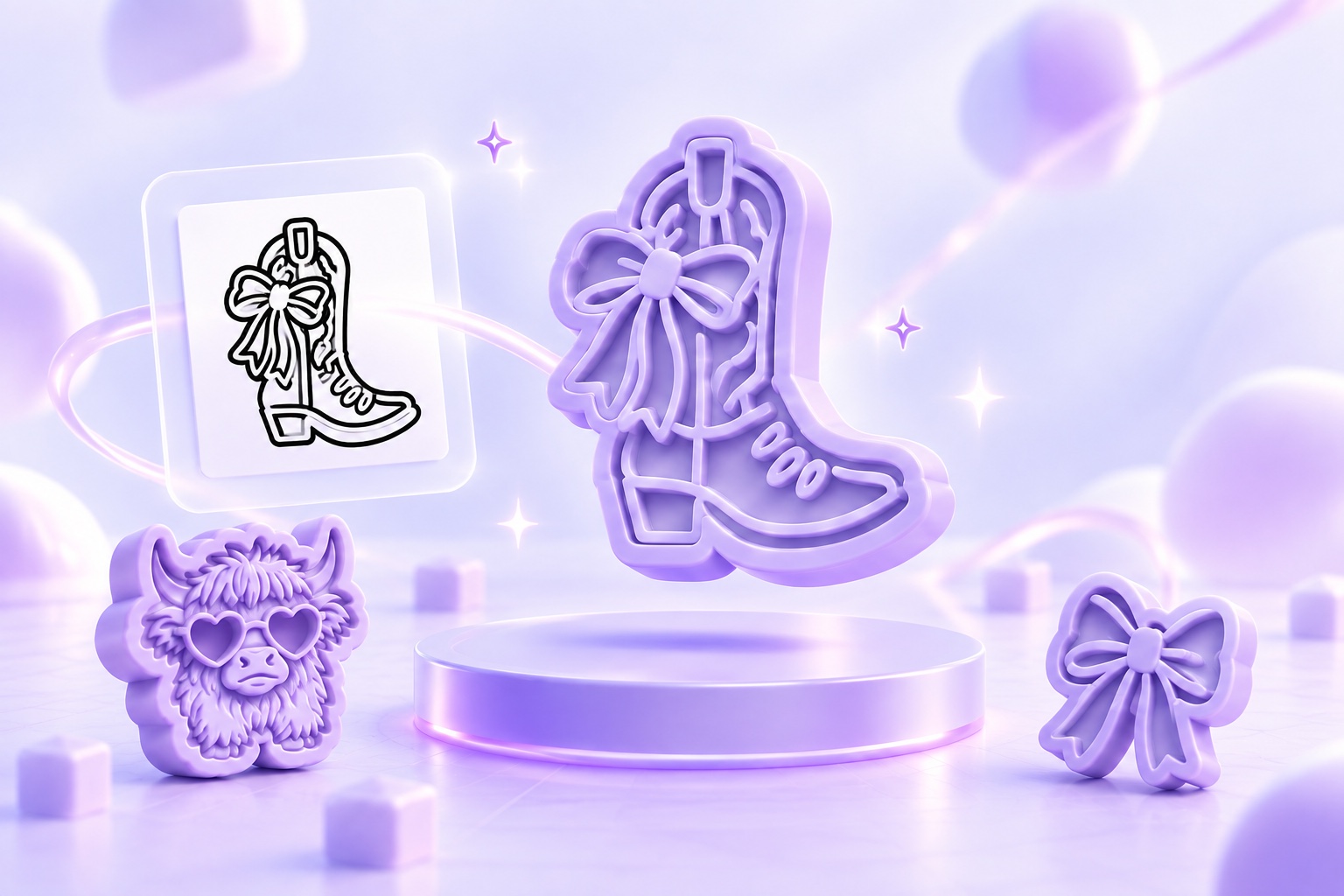
Concept illustration of cowboy boot and bow artwork becoming a lavender mold, with Highland cow and ribbon bow molds Your PNG artworkYour artwork → 3D-printable STLIllustration of artwork-to-mold conversion
FROM YOUR DESIGN TO YOUR PRINTER
Upload artwork ✧ Set dimensions ✧ Preview in 3D ✧ Download STL
How it works

From artwork to mold
in three steps

01

Upload your artwork

Start with a high-contrast PNG of your logo, clip art, or hand-drawn design. You can preview the mold before spending a download.

02

Set your mold dimensions

Set the finished size, detail mode, and optional pull tab. Save your settings as a preset to reuse across designs.

03

Download your STL

We trace, build, and repair the mold geometry for you. Inspect the free 3D preview, then download a watertight STL and send it to your slicer.

Mold features

Mold geometry built for printing

stlMolds processes your artwork into mold geometry with wall thickness, detail protection, and optional pull tabs. Review the result in 3D before downloading.

Durable walls

Wall dimensions support reliable printing and repeated use.

Draft and release geometry

Built-in draft helps molds release cleanly.

Protected fine details

Preserves artwork while avoiding fragile geometry.

Automatic weak-point repair

Repairs problem geometry during generation.

Optional pull tabs

Smart placement keeps tabs solid and connected.

Watertight, manifold output

Clean geometry moves directly into your slicer.

STL format

Download and open the mold in your 3D-printing slicer.

Reusable presets

Save dimensions and settings for your next design.

Every design is different. Use the free 3D preview and confirm your chosen settings in your slicer before printing.

Early bird pricing

Preview every mold free.
Pay only for the ones you download.

Upload your art, generate the mold, and see exactly what you’ll get before spending anything.

SPECIAL OFFERSPECIAL OFFEREARLY BIRD
EARLY BIRD SPECIAL OFFER
Introductory pricing for your first 3 billing cycles

Enroll by — Few Spots Remaining.

Stripe applies the introductory price to your first three monthly invoices, then your plan continues at the displayed standard price.

Free plan

Create and preview your STL molds before paying for anything.

$0 to create
and preview
Download when you’re ready
$6$4 one-time per mold
Save $2 on every mold · 33% off
Start free
  • Free generation and 3D previews
  • 7-day file retention
  • Each download includes 1 image credit
  • Purchased credits never expire
  • Re-download unlocked molds free
  • Earn free credits through referrals
Starter

For new and occasional sellers.

$29$19 per month
first 3 cycles
Save $10 for each of your first 3 billing cycles
That’s $1.90 per mold
Get Starter
  • 10 mold downloads every month
  • 5 image credits per month
  • Use your files personally or commercially
  • Unlimited file retention
  • Kept 1 year after plan expiration
  • Earn free credits through referrals
  • Extra molds $4 each
Maker

For small shops and part-time sellers.

$59$39 per month
first 3 cycles
Save $20 for each of your first 3 billing cycles
That’s $1.56 per mold
Get Maker
  • 25 mold downloads every month
  • 15 image credits per month
  • Use your files personally or commercially
  • Unlimited file retention
  • Kept 1 year after plan expiration
  • Earn free credits through referrals
  • Extra molds $3 each
Best value
Pro

For active shops creating new designs regularly.

$89$59 per month
first 3 cycles
Save $30 for each of your first 3 billing cycles
That’s $1.18 per mold
Get Pro
  • 50 mold downloads every month
  • 30 image credits per month
  • Use your files personally or commercially
  • Unlimited file retention
  • Kept 1 year after plan expiration
  • Priority processing
  • Earn free credits through referrals
  • Extra molds $2 each
Image credits

Optional image enhancement, no subscription required

Use Auto Enhance to turn uploaded artwork or a photo into a clean, mold-ready image. Analysis is free; each enhanced image uses one image credit.

3 image credits
$1 one time
About $0.33 per enhanced image
Buy 3 credits
10 image credits
$3 one time
$0.30 per enhanced image
Buy 10 credits
20 image credits
$5 one time
$0.25 per enhanced image
Buy 20 credits

Purchased image credits never expire while the service operates and work with every plan. Starter includes 5 per month, Maker 15, and Pro 30. Image credits do not include mold downloads.

Start free. Free generation and previews, with 7-day file retention. Buy download credits or earn them through referrals. No card required to preview.

Generating and previewing molds is always free — you only spend a download when you take the STL, and re-downloading a mold you already own never costs another one. Use your monthly allowance whenever you want — no daily download caps. Introductory subscription prices apply to the first 3 monthly billing cycles, then renew at the displayed standard price. Enrollment is limited by date and availability.

What makers say

Used by makers and small shops

Upload customer artwork, configure the mold, and review it in 3D before downloading.

"I used to spend an hour per design in CAD. Now I upload the PNG my customer sends me and the mold is printing before I finish my coffee."

Susan M.
Shop owner

"The site is so easy to use — I just upload my PNG and my mold is ready in seconds. No complicated setup, which makes keeping up with custom orders so much easier."

Marcus T.
Print farm operator

"I love being able to preview my mold and zoom in on the details before downloading. Uploading is simple, generation is fast, and I can see exactly what I’m getting."

Dana R.
Etsy seller
FAQ

Questions, answered

What kind of image works best?

Use a high-contrast PNG with clear outlines, ideally black artwork on a white or transparent background. Small details, faint lines, and busy backgrounds can affect the result. Preview your mold to check how the design converts.

What exactly do I get?

You can preview the generated mold and download its STL file for use in your 3D-printing slicer. The mold uses the settings you choose, including size and an optional pull tab. Check the preview and slicer output before printing.

How long does it take?

Generation time varies with your artwork, mold settings, and the job queue but on average takes less than 20 seconds. You can follow the job’s status in your dashboard and open the preview when it is ready.

What happens if a job fails?

A failed generation does not use a download credit or monthly download allowance. Generation and previews are free; a download is used when you first unlock a finished mold’s STL. You can adjust your artwork or settings and try again, subject to your account’s upload limits.

What is an image credit?

An image credit pays for one optional Auto Enhance result at any detail level. It is separate from a mold download: analyzing an upload and generating or previewing a mold are free, while enhancing artwork or a photo into a new mold-ready image uses one image credit. Monthly image credits are used before purchased credits. Starter includes 5 each billing cycle, Maker 15, and Pro 30; anyone can also buy a pack without subscribing.

What happens to my image credit while an enhancement is generating?

One credit is deducted when the enhancement request is accepted. The request keeps running if you leave the page, and the same accepted request is never charged twice. You cannot delete it while it is queued or processing. If the image generation process fails for any reason, the credit is automatically returned once. A delivered result uses the credit even if it is marked “needs changes,” you decide not to use it, or you later delete it; starting a separate enhancement uses another credit.

Can I sell what I make?

Yes. We claim no ownership of your artwork or output and impose no plan-based restrictions on commercial use. You must have the necessary rights to the artwork you upload and the products you make. Converting a file does not grant rights to someone else’s artwork.

What counts as a download?

Unlocking a finished mold’s STL uses one monthly download or one download credit. Downloading that same unlocked mold again does not use another. Generating a new mold creates a separate job, even if you use the same artwork.

What happens to my files if I subscribe or cancel?

Subscribe before a free file expires and it stays available while your subscription is active. After your subscription ends, your files stay available for at least one year. Molds you already unlocked remain available for re-download. Subscribing cannot restore files that have already expired.

Do download credits, image credits, or files expire?

Purchased and referral download or image credits never expire while the service operates. Monthly download and image-credit allowances reset each billing cycle and don’t roll over. Molds you have not unlocked are subject to your plan’s file-retention period. Unlocked molds are excluded from automatic retention cleanup, but deleting a mold removes it from your library. Save downloaded STL files on your own device to keep a copy.
Make your next design production-ready

Generate and preview molds for free. Buy a download credit or earn one by referring a friend who verifies their email and completes their first mold.

Sign up free
← Back to site

We're launching soon. Join the waitlist and generate & preview molds free when we open the doors.

← Back to site
Tips & Tricks
MOLD WORKSPACE

Create a mold from your artwork

Upload your image, adjust the mold settings, and review the 3D preview.

Upload your artwork
Drop your artwork here, or choose an image
PNG · Up to 30 MB.By uploading, you agree to our Terms of Use.
Queue 0
Nothing in the queue — drop a PNG above to start one

Downloads

Your downloads are empty — enhanced artwork and finished molds will land here